Facebook For Android Updated With Messenger And Camera Shortcuts, Is This The End For The Messenger App?

With Facebook for Android’s recent update to version 1.9, a few things in the app were changed that have to do with messaging, but these changes also may play a bigger role in overall app development for the company. The update included some bug fixes and performance updates, but the real kicker was the updates to the messaging portion of the official Facebook app. Last year, Facebook released similar features to the Android Market (at least that’s what it was called last year), but they weren’t in the official Facebook app,  instead they were released to a side-project dubbed Messenger.

Messenger offered a much smoother UI for messaging and chatting with friends, but it also offered a smoother UI than the entire Facebook app users had installed on their devices. This left us thinking “Why wouldn’t Facebook just incorporate these features into the main app itself?” The answer was right in our app drawers. Google+ had just started getting big and the Android app gave users not only a “G+” icon in the app drawer, but Huddle was a shortcut also added when users downloaded G+ and quickly brought them to the group messaging/chat portion of G+. It was never official, but many believe this is the reason Facebook released their Messenger app–to compete with Google+’s Huddle (which was soon changed to ‘Messenger’ as well” or just to make sure they offered everything G+ did in the mobile realm.

Read More…

Samsung Rumored To Launch Cloud Storage Service Alongside GSIII At Unpacked On May 3

Since the beginning of Android, handset makers and even companies such as Amazon have tried to compete with El Goog themselves when it comes to media sales. HTC rents movies and other types of media to users of their newer devices, and Samsung has Media Hub, which is relatively the same thing. Amazon has launched their own cloud music store and app store to compete with the Play Store as well, and has been pretty successful at gaining traction for both services.

Samsung, however, is reportedly planning on releasing their own cloud storage service during their GSIII Unpacked event on May 3. This cloud service is rumored to store any type of media for its users, and will likely charge for high amounts of storage but still give users  around 5 GB of storage to start with. It is still not yet clear as to whether they will charge for the service right off the bat or give users a small amount and charge them to use more space. The service will also provide users with different types of media to purchase, such as music and movies, and will deliver purchased media to Samsung devices such as laptops, smartphones, tablets, etc. With the announcement of their new Smart TV’s at CES, it is also expected that the service will deliver and integrate with those as well.

Samsung has also reportedly partnered with Microsoft to bring the service to countries outside the US, making it a possibility that if the service launches it will be available globally from the start. When taken into account that Samsung is selling millions of phones outside the US, this would be a very smart decision for the company. Samsung’s Unpacked event is being held in London on May 3, and “S-Cloud” may very well be launched alongside the long-awaited “Galaxy S III”. Stay tuned for more updates on the event.

Verizon Q1 Earnings Call Boasts Best Growth Since 2009

Verizon has no need to worry with the results of their latest earnings call. The Q1 results for the nation’s largest network boasts 7.7% service revenue increases, but the real hitter is the 21.1% increase that they gained in data services revenue. Likely thanks to their 4G LTE network, this is the best growth and data service revenue that Verizon has recorded in the last 3 years.

Verizon can also boast that their 4G LTE network covers more than 2/3 of the US, giving a good percentage of the people with 4G LTE smartphones access to the network to the launch of the DROID and the gain of the iPhone Verizon has had plenty of devices for users to choose from in the smartphone realm since 2009, 3 years ago. Also, with the 4G LTE network a success, Verizon has offered customers the fastest data experience with some of the best devices in the US. They have also added 500,000 new post-paid customers, which will increase their revenue even more over time.

Pocket Is The New ReadItLater, And A UI Refresh And Performance Updates Come With It

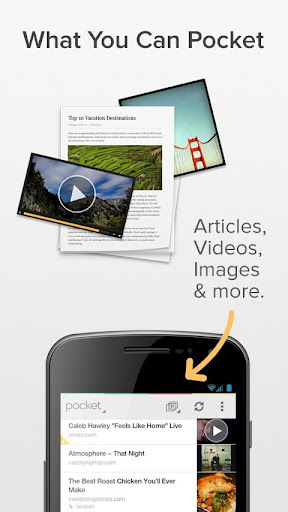
ReadItLater has always been one of my personal favorite apps, so much so that we featured it as the “App of the Week” a few months back. Now, the application has been updated to version 4.0, and with that has received some pretty big changes. ReadItLater is now known as Pocket, and is based around the concept of “pocketing” all of the information you want to see but cannot get to at the moment. ReadItLater has always been able to save multiple types of media, but it never differentiated them from each other so most people just assumed it was for articles.

With this update, however, Pocket is trying to show users that they can save anything with the app, and they should use it for anything. With this update the developers added a filter for the things you save that automatically group your items into their respective areas. This makes it really easy to find what you’re looking for when you go back to view everything that you have saved.

Along with a name change, Pocket has also completely refreshed the look and functionality of the app. Now you can star items, archive them, and even edit items in bulk, whereas before you had to do each individual piece at a time. This makes it much easier to use the app and get through the content that you want to see, and the content that you don’t have much interest in. They have also upgraded the performance of the app with improved syncing and faster downloading as well. The full list of changes is below with a Play link to grab the update as well, and be sure to check it out because it is definitely a much better app.

New name: Read It Later is now Pocket! Use your existing RIL username
New Content Filter: Automatically filters content so that you can quickly switch between articles, videos and images.
Clean and simplified viewing experience with fewer toolbars and a redesigned full-screen mode.
Easier to Organize: Favorite, Tag, Archive, Delete and Bulk Edit
Available on all major platforms, including Android, Kindle Fire, iOS and a powerful web app.
Improved syncing, faster downloading, and more

Play link

The Sale Of Used Games Could Be Killing The “Single Player” Experience As We Know It

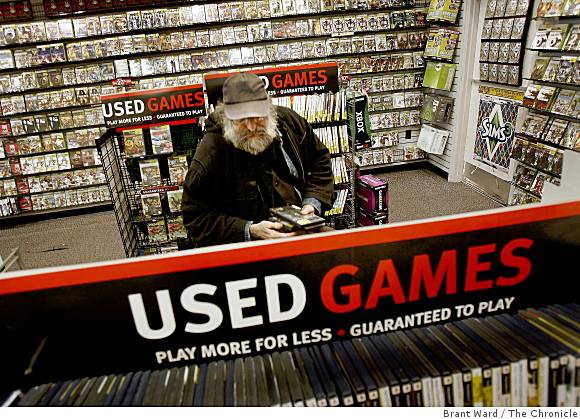
For the past several years, the sale of used games has been talked about by game developers as “harmful” to the industry. Needless to say, companies like GameStop and EB Games have continued to sell used games at a discount to buyers, giving them a reason to trade games in when they are done and purchase new ones. At first, this sounds like a pretty harmless process, unless of course, GameStop and other companies like it are ripping buyers off by paying them extremely low prices for their games and selling them for a huge profit. This does happen, though, but that’s the sellers decision, and if someone is dumb enough to pay $60 for a game and trade it in for $11.50 of in-store credit a month later than that is their fault. This constantly runs through the minds of gamers as they endlessly by and sell their games, looking for the best deals and the easiest ways to get new games for low costs.

However, there is a bigger issue to the sale of used games, says Richard Browne, the former VP of Core Studios at THQ. Richard is saying that used games are not only hurting the game industry as a whole, but are killing off single player gaming as we know it. Gaming companies have long been criticized for the addition of things like online passes (yes, EA, I’m talking about you) and other means to trap players into not being able to play their game fully unless they have used their one-time code they receive when they buy a new game. This will obviously create an incentive for gamers to buy their games new, but it also costs your company’s name in criticism, as many gamers will unite and possibly vote you the worst company in America (yes, I’m still talking about you EA).

Either way, used games are still being sold, and people like Richard Browne and many others are looking to put a stop to that. Much of the time, this enrages gamers, but if you look closer at what some of these people are saying, they do have some legit points. I am a huge gamer, and I play all the time, so obviously I want the sales of used games to continue because it benefits me to buy them at a cheaper price. But as Richard Browne states in this comment, the sale used games may actually be hurting my game experience as well:

“The real cost of used games is the death of single player gaming. How do I stop churn? I implement multiplayer and attempt to keep my disc with my consumer playing online against their friends. It works wonderfully for Call of Duty – no doubt it can work wonderfully for me. The problem is, at what cost? Countless millions of dollars would be the answer.”

When I read this quote I immediately thought of single player games that have added multiplayer experiences for no other reason than sales, and in turn it hurt the single player experience. Games like Assassin’s Creed, Dead Space 2, BioShock 2, Mass Effect 3, the Uncharted series have all added in multiplayer modes to games that otherwise would just need their stellar single player experience. Meanwhile, other big hitters like Skyrim and Fallout have retained their “single-player-only” game type, but at what cost? I for one, love multiplayer gaming, but I love multiplayer gaming on multiplayer games. By this I mean, I love Call of Duty, Battlefield, Gears of War, and even NBA 2K12 for their multiplayer experiences because those are what the games are designed for. While they have single player game modes, the multiplayer doesn’t feel like it was just thrown in to give buyers a reason not to sell their game. If developers of single player games have to start spending tons of extra money and time developing a multiplayer mode that isn’t even necessary, it is bound to take away from what they could be doing in the single player game modes. While this may not be every case, there is plenty of these cases now, and there will continue to be.

When a game that was designed for single player gameplay is losing what could be an awesome single player experience because companies feel like they have to add in some time of multiplayer, it hurts the games that we know and love. I hate seeing this happen because of used sales (although there is sure to be many other reasons this can happen), but I also don’t want to see used game sales go away just yet. While Richard Browne is telling Microsoft and Sony to give all games a “one-time” sale somehow with next-gen consoles, I still believe that gamers will pay for a single-player game without multiplayer if it is good enough. Take the Mass Effect series or Batman: Arkham City for example–people will buy good games. This leaves the question of whether we should get rid of used gaming or not. Is it killing the single player experience? Richard Browne and many other big-name game companies think so, but I’m not sure stopping the sale of used games will necessarily fix the problem. Shout out and let us know what you think in the comments or on Twitter–@ElijahIsMe.


With Incredible 4G Leaked, Could Verizon Be Launching This Device AND Another More Similar To Its One Series?

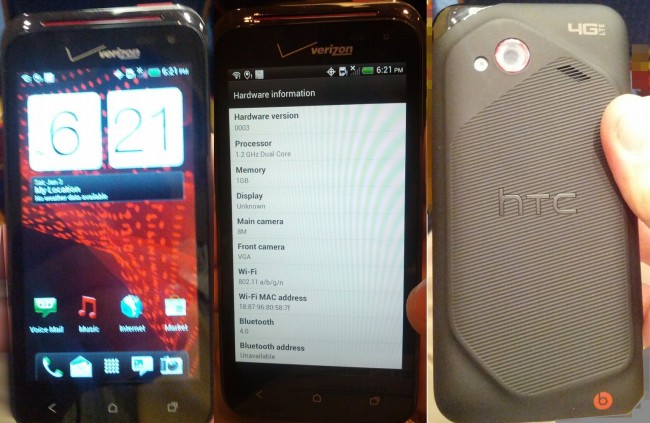
We knew something was up when Verizon dropped the price of the Rezound to $49, and with previous rumors of a 4G DROID Incredible popping up, it was definitely a possibility that Big Red was trying to make room for their next 4G LTE HTC device. These rumors became even closer to fact when pictures starting popping up like crazy yesterday of the alleged “Incredible 4G”.

The DROID Incredible 2 gained a lot of praise for being a solid device, but one of its major downsides was the lack of 4G LTE, even with the network being launched prior to the device. This left Verizon in a position to market the Thunderbolt, but it seemed as if the original DROID Incredible never really got a proper successor. With the Incredible 4G however, the DROID Incredible’s may be able to reign yet again. The only possible issues I can see with this device is that it must be on par with HTC’s One series, and even its recently announced Evo 4G LTE for the device to be a success. Being that Verizon has plenty of choices, including the Galaxy Nexus, users may want to think twice about jumping on the Incredible 4G bandwagon if it seems the device is lacking what other HTC devices aren’t.

However, this may not be an issue, as the device is poised to run Ice Cream Sandwich (with Sense 4.0 of course) with a dual-core Snapdragon S4 processor clocked at 1.2 GHz. It does have a 4″ screen though, meaning it will be smaller than both the Rezound and Thunderbolt were, but it is right on par with the DROID Incredible 2. This could mean that Verizon is planning on releasing this device and a larger device more similar to its One series, but we won’t know for sure until we hear directly from Verizon or HTC. Verizon launched the Thunderbolt and the DROID Incredible 2 around the same time, and they could be planning something similar with a larger device, and an “Incredible”-sized device such as the one shown above. Stay tuned for more details on the “Incredible 4G” and any other devices Verizon may have up its sleeve.


Source: Droid-Life

Google+ Updated With Brand New UI, Profiles Reminiscent Of Facebook Timeline


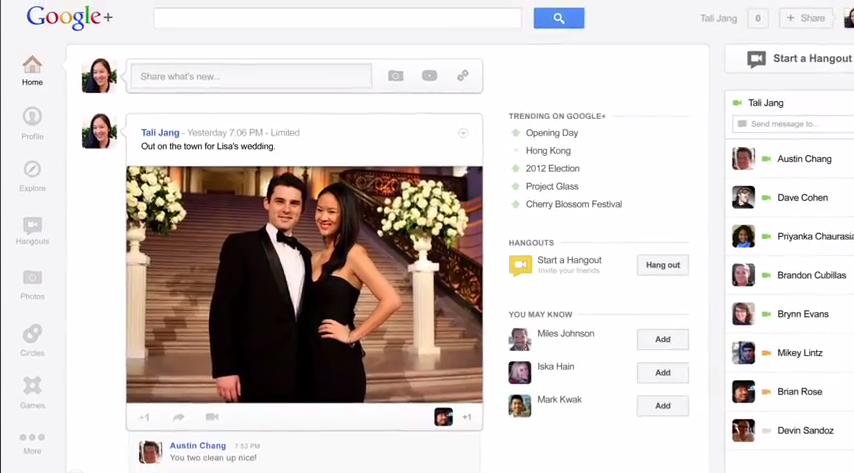
With a completely new UI update landing for the web client today, we can see that Google is really trying to grab and keep users for their social networking service. Now, UI updates come to services all the time, with re-focus for their apps and so forth. However, Google isn’t necessarily trying to point out something new with this update, just show you what’s been there the whole time. No big new features, no name-changes, just the same Google+ with a different look.

There is no doubt that they are trying put a bigger focus on Google Hangouts, one of the best features Google+ has to offer, and really, one of only things I use it regularly for. The entire right side of the page has been taken up by a chat bar, showing all users that are currently online with an option at the top to “start a Hangout.” This really draws your attention when first getting to the site, much like what Facebook has done with their side-bar.

The profiles have also been redone, and it really just looks like an inverted version of Facebook’s Timeline. Posts are lined up from the bottom in order you posted them like usual on G+, but much of the design layout is very reminiscent of what Facebook has just done with their profiles. They’ve even added the option to add a cover photo, with your profile picture laid neatly on top. They did, at least, put all of this on the right side of the page as opposed to Facebook having it on the left, but it is still very similar.

More after the break

One of the greatest pieces of the new UI is the column on the left displaying all of the places to go on Google+. To me, this really simplifies the whole experience and makes it really easy for new users to figure out what to do. All the necessary things have been added for users to view, such as Home, Profiles, Circles, and of course, Hangouts.

Overall, I really like the new design of G+, and I think it is much easier to use. The emphasis has been placed on the social service’s best features, and showing people why they need to use Google+ is the way they’ll bring in more users.

Instagram: To Delete, Or Not To Delete


Instagram finally arrived on Android just last week, and iPhone users were in a huge uproar over “those Android users” getting into their club. Instagram also received 1 million downloads in the first day, showing that there really was a lot of Android users joining the club. However, a lot of the Android community couldn’t see the point in actually using the app, because we’ve already had those filters in so many other applications. Still, enough Android users saw a way they could use the app that Instagram put a pretty big footprint in the Play Store.

Today, Mark Zuckerberg announced via Facebook that the social giant would be acquiring Instagram. A lot of users were upset about that. A lot. It has gone as far as people exporting their photos and deleting their account as soon as the announcement was made, and others setting up a date for a massive account deleting party, much like the “Quit Facebook Day” we saw last year when Facebook made some privacy changes. This leaves the newly joined Android community with a question. Should we continue to use Instagram? Because with only a week under our belts it couldn’t be something we can’t live without. And for users who haven’t even started using the service, should you even join?

The Instagram team had to have seen a huge issue coming, because they added this statement to their official blog letting users know things would be the same:

“It’s important to be clear that Instagram is not going away. We’ll be working with Facebook to evolve Instagram and build the network. We’ll continue to add new features to the product and find new ways to create a better mobile photos experience.

The Instagram app will still be the same one you know and love. You’ll still have all the same people you follow and that follow you.You’ll still be able to share to other social networks. And you’ll still have all the other features that make the app so fun and unique.”

Still, a lot of users hate Facebook, and cannot imagine to see their hip Instagram community flooded with around 900 million Facebook users (and growing). This leaves it up to each and every individual to assess where they are in the social network, and where they think it will go. If you think Instagram is on its way down the drain, go ahead and delete your account, but be warned. If you delete your Instagram account, your photos will be gone forever, and you will never be able to create another account under the same username again. Deleting an Instagram account is very permanent, and unlike just “deactivating” a Facebook account.

On the other end, and personally the way I see most fit to go, you can wait it out. I downloaded and began using Instagram the day it was released on Android, and have intermittently used it since. I don’t use it as much as Twitter, but I definitely use it more than Facebook. Will Instagram be ruined forever? Who knows. Will Instagram be ruined by Facebook and all of its massive user base? We don’t know. One thing we do know though, is Instagram is still there, and nothing has changed yet. If the company continuing to add services to their app and improves upon it more and more, how will the users who quit on the day of the Facebook acquisition feel?

I’m not saying I like the acquisition, because I definitely don’t. But I do think users should wait and see what happens before they go deleting their accounts forever. That’s not to say I’ll never delete mine, I’m just not deleting it yet.


Instagram For Android Review

So Instagram is finally on Android. We’ve been waiting for this hit iPhone camera app to come to Android for a while now, and while some of the community is saying “Android didn’t need Instagram, we have our own Retro Camera”, the fact of the matter is this: Instagram is a big deal. Instagram has received millions of downloads on Apple’s App Store, and no doubt will receive a ton of downloads on the Play Store as well. However, a lot of times when apps are ported from iPhone to Android, they lose much of the polish that made them what they are in the process. Did this happen with Instagram? Should you jump on the bandwagon and give this app a try? We’re here to tell you.

Instagram on Android is very simple to set up. You simply download the app, input your credentials, and you’re on your way. Once you link all of the social media accounts you choose, you can find all of your friends that have linked their Instagram accounts to these networks, and easily follow them. Once you add all of your personal friends, the service will then suggest users you can follow to keep up-to-date on some of Instagram’s most popular photos.

More after the break

When you finally get into the app, you can immediately see the home tab where your stream of pictures show up. From this page you can scroll through and look at all of the different things uploaded, like them, and comment on them as well. The scrolling is very smooth and you can easily expand and comment on photos. Their are a lot of cool aesthetics to make the app shine, such as the name of the uploader scrolling with the picture until it is bumped of the screen by the next uploader. You can also do other cool little things like double-tapping on pictures to like them, and so forth. Next to the home tab is the popular tab, and from here you can check out all of the most view and liked pictures on Instagram. They show up in a grid format where you can see about 20 pictures at one time with a little room to scroll and a refresh button in the corner to bring up new content. When clicking on these pictures you can see the same normal options: liking and comments.

When you click the middle camera button you can choose to take a picture or choose one from the gallery, and after you decide and have a picture Instagram really starts to shine. You can choose from a ton of different filters to add cool effects to your pictures, making them look old and worn out or bright and trendy. There is plenty of filters, and they all add a new, different effect to your photo. Sliding through the filters is very easy, and it takes no time at all for it to be applied to your picture. Once you choose your filter you can choose to post and share with Facebook, Twitter, Foursquare, and Tumblr, but alas, there is still no option for Google+.

On the next tab you can see all of the news you and your friends are sharing, such as things people are liking and when someone follows someone new. This can offer a pretty easy way to find new people and discover new photos to like and comment on based on what your friends are interested in. In the next tab you can view your profile and edit your information such as your name, picture, and bio. The push notification settings are also buried in this menu for some reason, but once you get to them you can choose what you want to be notified for which is also a very helpful option.

As a whole, Instagram made a great jump from iPhone to Android. Just about everything from the filters to the polish came along with the port, and the time it took the devs to get it in the Play Store really paid off. Instagram is smooth, easy to use, and really brings the full experience to Android without leaving much behind. Whether you’re into photography or not, you should definitely check this app out.

Be sure to follow us on Instagram too!     ElijahIsMe & TheDroidGuy

Instagram’s Play Store link

[REVIEW] Tritton Detonator Surround Sound Headphones For Xbox 360

As I said earlier this year around the time of CES, we love gaming here at TheDroidGuy. That calls for setting the phones down and taking a break from Angry Birds or Cut The Rope to get to some real console and PC gaming. Of course, with console and PC gaming there are a lot of areas that people look to get a good experience from, and one of those is sound quality. Among graphics and user experience, gamers want the sound of what they are playing to really bring the game to life, and there are a few ways you can go about doing this. Sure you can spend thousands of dollars investing in a fantastic home theatre sound system, but you can also invest just around a hundred bucks in a great pair of surround sound headphones. This is where Tritton headphones come into play.

Tritton is a company that makes surround sound headphones for Xbox 360, PS3, and PC gaming. I should start off by saying that this review will focus in on the some of the product lineup for Xbox 360, but PS3 and PC owners should still stick around because it should still be pretty applicable to the headphones you would be purchasing from Tritton as well.

More after the break

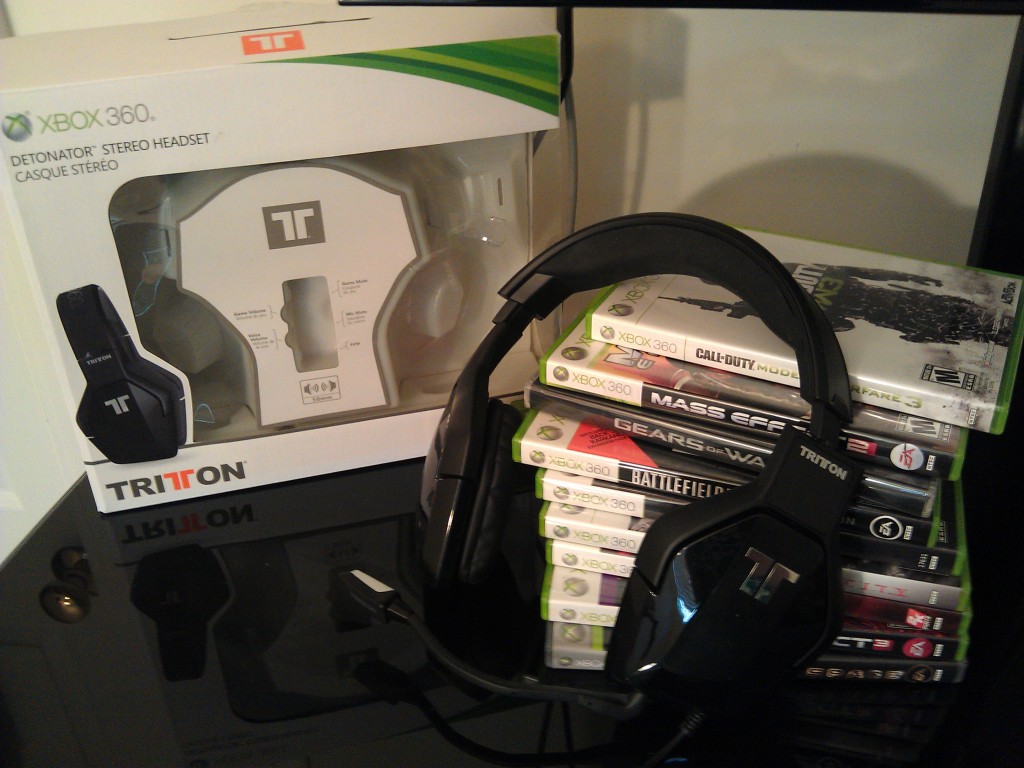
The first pair of headphones I will be talking about today are the Detonators. The Detonators are wired 50mm surround sound headphones, and man, are these headphones incredible. When you take them out of the box you will immediately notice the sexy black design that comes with the Detonators. The Detonators are all black headphones with a gloss finish on the exterior of the cups partnered by the Tritton logo, and the top is crafted with a soft, leather material with “XBOX 360” stitched in to remind users this has been licensed by Microsoft for use with the 360. The ear cups are also made with a leather material, companied by a nice orange accent in the interior of the cups themselves. I can say with confidence that these are the best looking pair of surround sound headphones I’ve come across yet. However, it doesn’t stop there, because these headphones really get their chance to shine when you put them on and jump into a game.

One thing I’ve noticed about Tritton headphones that I really like is the fact that I don’t feel like I’m riding in a helicopter when I put them on. The sleekness that you see when looking at them while they aren’t being used continues right into usage, and after a while you can’t even tell you’re wearing headphones. The overall performance of these headphones is fantastic as well. The highs are crisp and sharp, the mids hit just as they should delivering the core sound, and the bass booms at just the right amount to make you feel like you’re really in a game. If I’m playing Call of Duty: Modern Warfare 3 and my buddy calls in an airstrike, I’m the first to know because I can literally hear the planes begin to fly towards the arena and drop bombs the entire way. The same goes when I am sneaking through a narrow corridor, and I can hear my enemy’s footsteps and they try to creep up behind me and use the element of surprise. If I’m playing Mass Effect 3 I feel like the characters are really speaking to me, and when I’m walking through a crowded city it feels like there are small conversations happening in every directions, and I truly am surrounded by others at all times. Racing games offer a very realistic sound of tires screeching and engines firing, and the Tritton Detonators make it a completely new experience. The 50mm cups really deliver a true-sound experience, and I cannot play without them. The quality of your friends talking into their mics is also fantastic, and the game sound and voice sound filter into the headphones at the right amount, because the headphones have a small adjusting bar that allows you to change the different volumes, mute yourself, and turn on SVM support as well.

If I had to say there was anything I didn’t like about the Detonators, it would probably be that squeezed my head a little too tight, but after about a week they were broken in and fit just fine. That goes for most headphones when you first buy them anyways though, so I don’t really see it as a big deal. Overall, these headphones bring together a fantastic gaming experience while looking great at the same time. Tritton Detonators are a great value, and anyone looking for a great gaming experience should look into picking some up. Head over to Tritton’s website to check out the rest of their collection, and be sure to check back this week for the review of the Primer and Trigger Headsets.


Google Play Is The Wrong Step In The Right Direction [OPINION]

With Google finally having launched all three of its additional components to the Android Market, it’s understandable that they wanted a streamlined interface for users to understand what they were purchasing and that they were purchasing it from the same vendor. Google Books, Google Videos, and Google Music had all been slightly separate until now. They were still obviously tied together through Android, but it wasn’t fully understood to the average consumer that Google is offering all of the media needed to more than just their Android phone. PC’s, tablets, and of course, any phones running Android all have access to what is now called Google Play, and I am happy to see Google doing something about that.

What I am not happy about however, is the name and idea of Google “Play”. It’s not just that I don’t particularly like the name “Play”, no, it’s deeper than that from a consumer standpoint. If Google is trying to brand Android into people’s minds with “Android Market” just the way Apple has done with “Now Available in the App Store”, then they took the right step. I’m just not 100% sure they took a step in quite the right direction.

More after the break

Yes, Google needed to streamline all of its content. There’s no doubt about that. It’s how they do that though, and the branding that they use, that will ultimately affect user’s thoughts on Android. Google is trying to get people to understand that their content isn’t delivered just through Android. No one who hears “Android Market” will assume that the content provided by such a service is also available on things that don’t run Android, such as PC’s and Google TV. With “Play” though, Google has taken that thought out of user’s minds and instead replaces it with one massive, combined content provider for everything a user needs. The only problem with this idea, is they decided to call it “Play”. When a user sees “Now Available in the App Store” they know iOS, but “Google Play” doesn’t really send an Android message at all, in fact, other competing products have similar names such as the RIM’s Playbook and Sony’s Playstation products. This is obviously going to confuse some people, and Google is trying to get away from “confusing” in Android, especially with the recent release of Ice Cream Sandwich.

Sure, Google Play will be fine. There are too many Android users who will immediately grasp the concept and easily make the switch to “Play” branded product names. However, they have sort of shot themselves in the foot when it comes to trying not to confuse new users. The Android ecosystem is pretty well known, but nothing Google has ever done has been remotely tied to “Play”. This isn’t to say it will not be a great service, though. Google accomplished what they needed to accomplish, and I’m glad to see that. I’m just not completely sold that “Google Play” was the way to go.

App Of The Week: Any.DO

As busy as we are nowadays, you would think we would have figured out how to manage our time wisely. Still however, we find people being double-booked, forgetting appointments, and sometimes not getting a single thing done that you wanted to throughout the day. We find ourselves constantly pressured by the busy agendas that rule our life, and have since started to turn to mobile calendars and planners to help us through our days. While I still use my calendar all the time, sometimes I just want a simple list of the things I need to get done, accompanied with reminders due dates. Separate categories, yes, but other than that just one list of things that I need to accomplish. And after stumbling upon it in the Market, Any.DO has completely taken over as my task manager of choice.

Any.DO is one of those apps that I install within 5 minutes of every phone that I get. I live by my task manager, and it all integrates with Google Tasks and my Gmail. But as we all know, Google has completely ignored the need for a task managing app built in to Android that syncs with your Google account and Google Tasks. After giving support to many of its other products and even launching new ones, El Goog hasn’t payed the slightest bit of attention to a task manager. However, the developers of Any.DO have.

Any.DO is a simple, beautiful task manager that offers just about every option you could want. At the open of the app you are given a neat little list of the things the app does, and after swiping through all of them you are brought to a point where you can sign into your Gmail account and start syncing your tasks. Once you sync these tasks, you can decide whether you want them to be defined by folder or due date (personally I choose folder because I feel it offers more organization). You can then add and complete tasks very easily, in a beautiful application. Any.DO has an awesome way of notifying you of your task due dates as well. The app pops a notification up on your screen, and in your notification bar. When the notification pops up, you can mark it as done, snooze it, or just ignore it as a whole.  Another great feature of Any.DO is whenever you receive a missed call, it will allow you to automatically add calling that person back as a task with a notification. Also, the little bell that rings (on-screen and audibly) every time a task needs completed is just another example of the devs dedication to making sure users have a great experience with their app. This application is without a doubt one of the most beautiful apps that I have used on an Android device. You can choose between a light and dark theme, and both of them look amazing. There are many fluid animations throughout the app, and the whole experience is much better than any other taks managers that I have used. Not only can you use it natively, but Any.DO also syncs with your Google account both ways, so if you complete a task and scratch it off the list on the app or in the browser, it will sync to the other respectively.

Any.DO is a free and fantastic app that everyone should give a shot. It works seamlessly with your Google account, and I can’t remember a time it has failed to notify me or frozen up when I tried to use it. As I said earlier, I install this app on every device I get, right when I get it, and there are many reasons why. Be sure to check out Any.DO for free in the Android Market and be sure to check back with Nibletz for more awesome Android apps and reviews.

A Teenager’s Thoughts On The Dad That Shot His Daughter’s Laptop [EDITORIAL]


As many of you may know, while I am an editor here at TheDroidGuy, I am also a 17 year old who is currently finishing his junior year of high school. This makes one of the big pieces of news as of late, the story behind a man who shot his daughter’s laptop over a venomous Facebook post directed at her parents, a little more personal to me. If you haven’t heard about this story yet, you must be living under a rock, because in just 5 days, the YouTube video alone has generated over 22 million views. That is definitely something we can call viral. And as I’m obviously not the first person to ever be a teenager, I have grown up in a slightly different era of technology than many of the viewers and readers that have commented, or just read about this story.

With MySpace, Facebook, Twitter, Foursquare, Gowalla, Formspring, Tumblr, and other social medias on the rise throughout my childhood, I really didn’t know what it was like to not be able to blab about my problems through various song lyrics and cleverly worded posts all over social networks for the whole world to see. I’m in high school. My friends are in high school. Most of my personal relationships are people who have access, and have had access to social networks most of their adolescent life. While this is great for us, this story shows the brand new door it opens for trouble, because as we all know, once you put it on the internet it stays there. Forever. This can be a serious issue with loose-cannon teenagers who take shots at their parents, friends, and other figures of authority on Facebook. I’m no better, as I’ve had many regrettable posts in my day–things that once shared are taken in every horrible way possible and spread to just about everyone I may have possibly glanced at once or twice. While this is just everyday life for us, parents are faced with problems and issues that they couldn’t learn from their parents on, and are now blazing a new trail through the parental wilderness of “monitoring your child’s social media”.

More after the break
Read More…

[REVIEW] iLuv’s Bluetooth Keyboard Portfolio Case For The Galaxy Tab 10.1

One of my biggest problems with recommending tablets to people has been a lack of productivity from them. I don’t know about you, but if I can’t get as much productivity out of a tablet as I can my Macbook, I just can’t justify picking one of for the high price tag most high-end tablets carry. However, recommending a tablet as a third device is a differnent story, that is if one has a smartphone and a laptop already.

One specific accessory has come very close to changing my mind, though, and I’m using it to type this story right now. iLuv’s Bluetooth Keyboard Portfolio case for the Galaxy Tab 10.1 and iPad has increased my tablet productivity immensely, almost to the point of taking it instead of my computer every single time. The only reason I still haven’t completely switched, is the fact that tablet technology and software isn’t there just yet.

More after the break

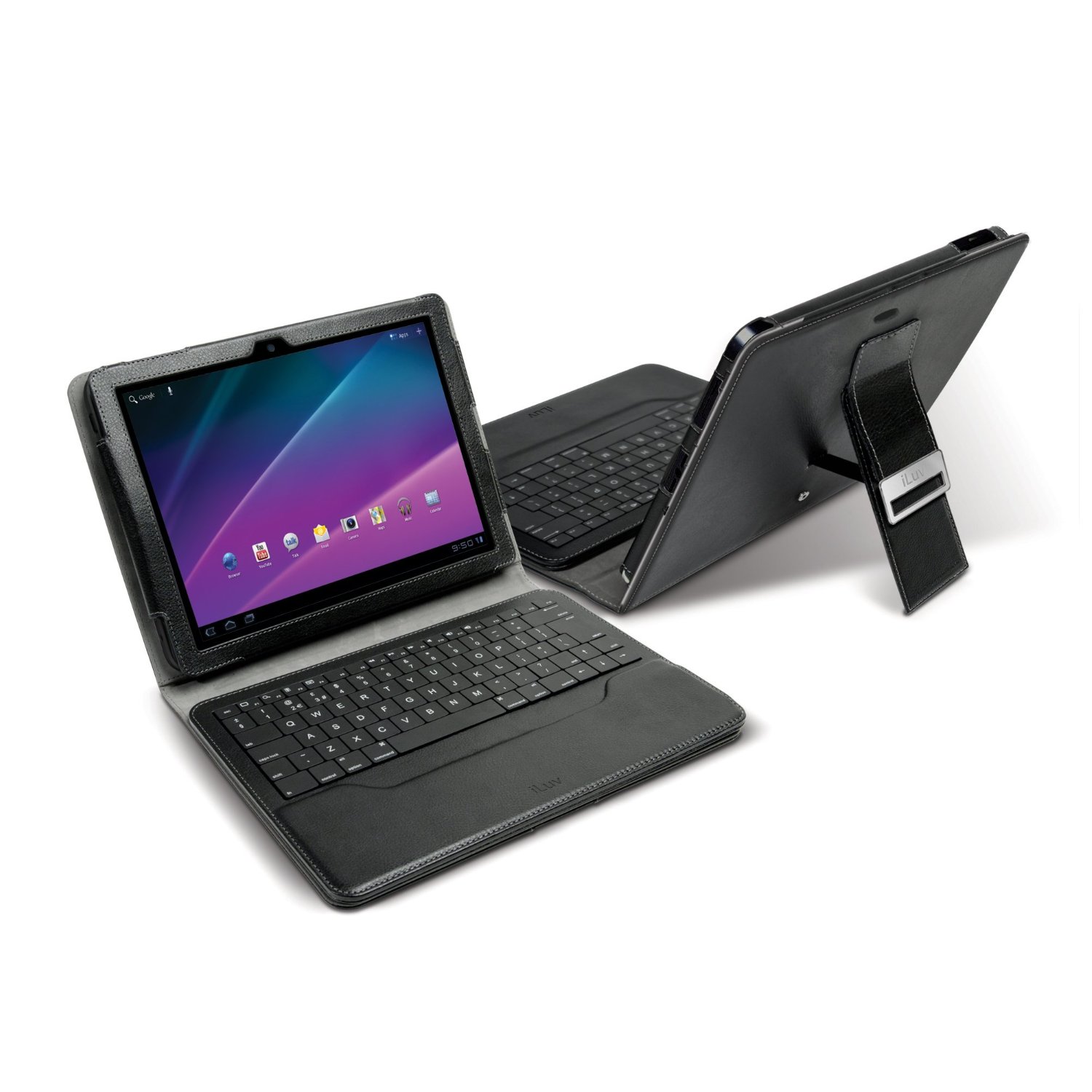
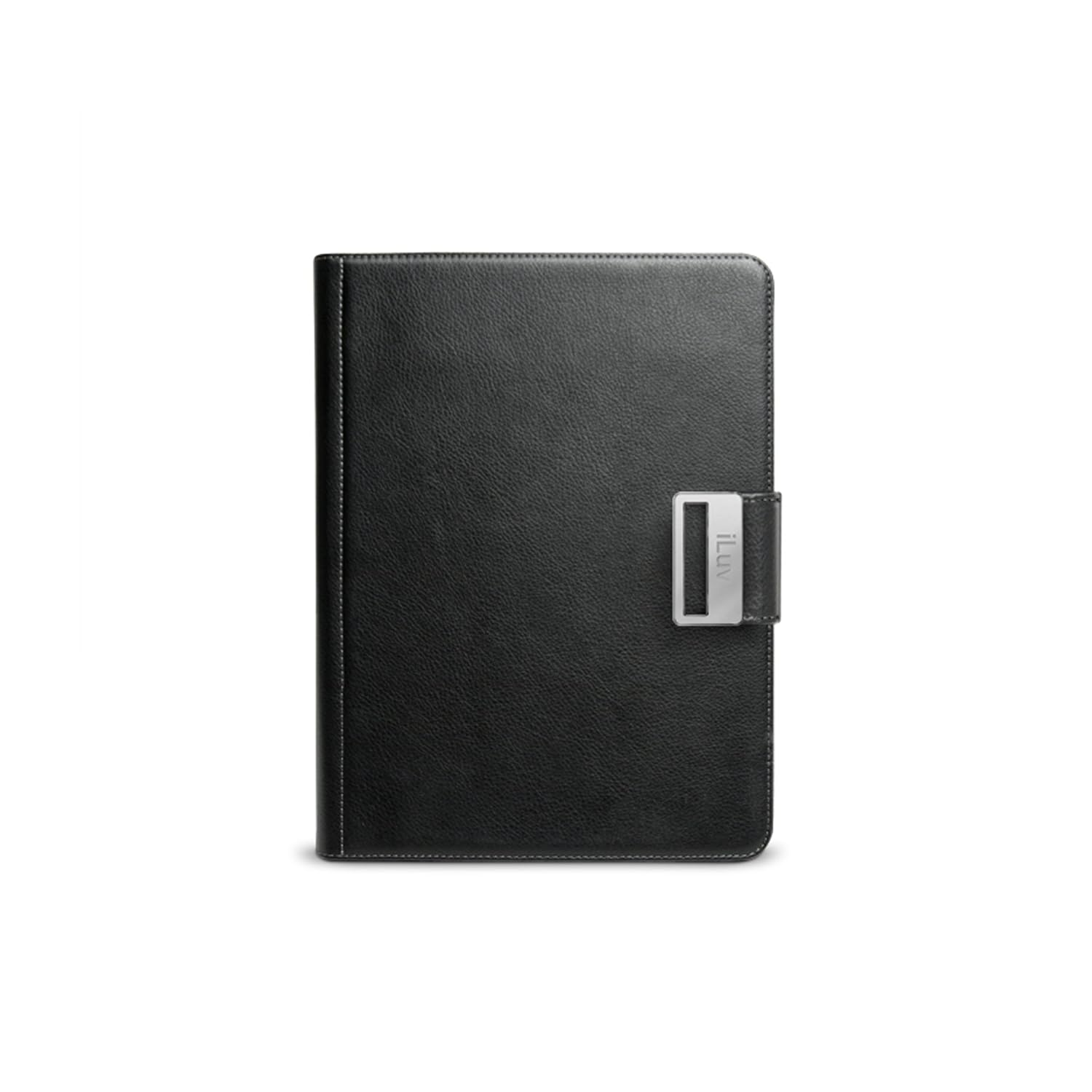
The Bluetooth Portfolio case allows me to take out my Galaxy Tab at any time, and start writing and navigating my tablet while it’s resting in an upright position identical to a laptop. The sleek, leather case has a small leg on the back that snaps off and props the tablet up to an angle that is ideal for reading and writing. And if you don’t want to use the tablet as a laptop-style device, just fold the keyboard back and it sits on your lap or in your hands just like a tablet normally would. It offers the complete package for anyone trying to get something done on their Galaxy Tab or iPad.

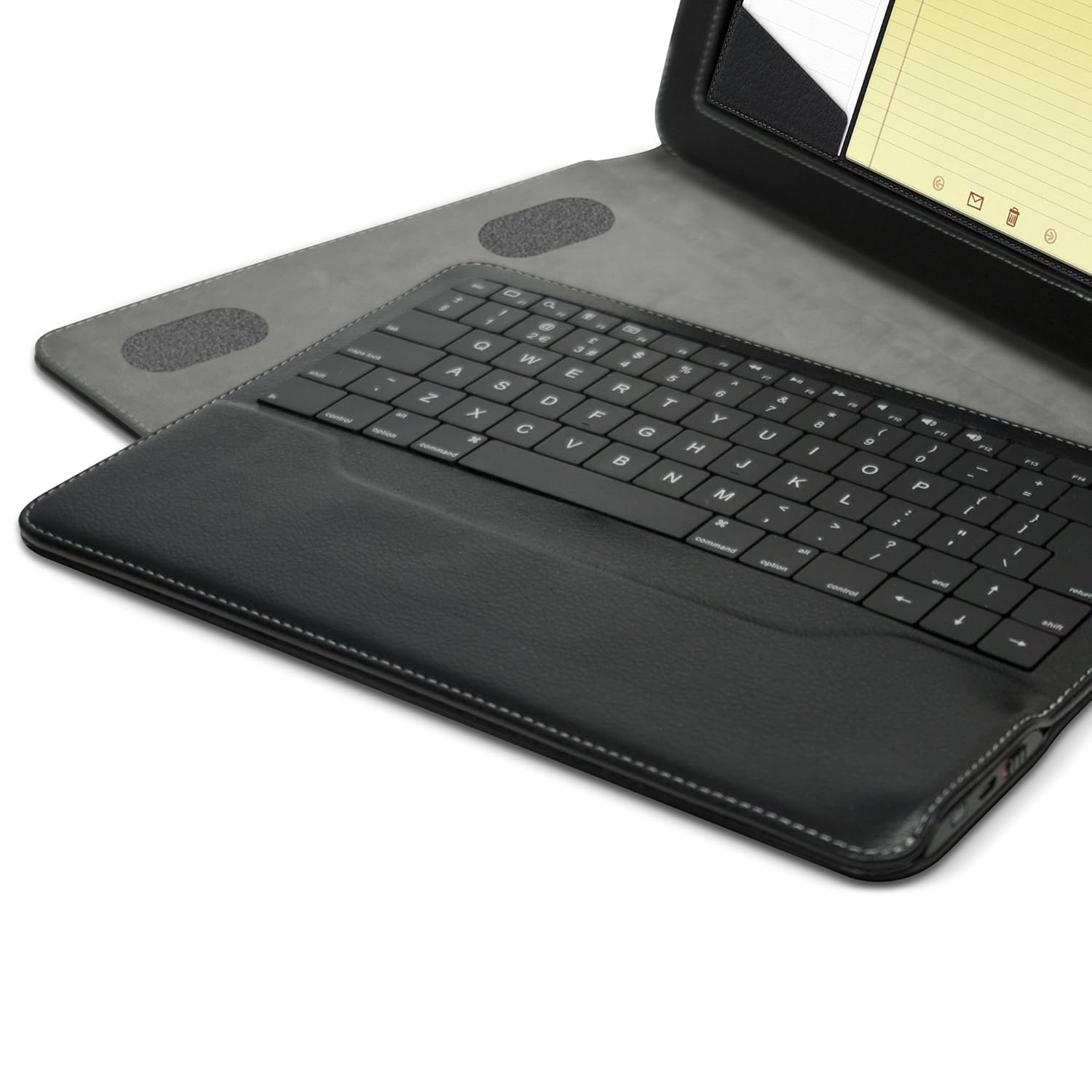
Now that I’ve explained how the case looks and feels, the Bluetooth keyboard itself is up next. The keyboard is a full, laptop-style keyboard with all the necessary rows and numbers. The buttons are easily pressed and respond immediately, closely replicating the experience of typing on a real keyboard. Another fantastic addition that sets this keyboard apart from a standard Bluetooth keyboard is the specialized buttons for Android functions. These go from the home, menu, search, and back buttons, to dedicated buttons for things like recent apps, opening the status bar, opening the browser, adjusting sound and brightness, opening all apps, and pausing and skipping through songs in the music player. Everything works fantastically and the tablet responds quickly to all of the buttons. I really can’t find a reason to not to take the Portfolio case with me every time I bring my Galaxy Tab along.

The iLuv Bluetooth Portfolio case is the best tablet case I’ve ever owned, and believe me, I’ve owned plenty. It provides a safe place to carry your tablet while traveling, and increases the productivity by much more than I can explain in this article. Any tablet users out their, Android or iPad, should definitely think about investing in one, and if you do, you will not be disappointed. Be sure to stay tuned to TheDroidGuy for more Android news and reviews.